
Quick Executive Verdict: Anthropic’s Claude Code
In 2026, the transition from autocomplete AI assistants to autonomous CLI agents is complete. Claude Code is a terminal-native, agentic software engineering tool developed by Anthropic that reads your entire repository, formulates multi-file architectural plans, executes bash commands, and commits fixes autonomously. For full-stack developers, mastering this Claude Code tutorial is essential to shift from line-by-line typing to high-level system orchestration.
- ⭐ Best for: Full-Stack Developers, DevOps Engineers, and System Architects.
- 🔥 Standout Feature: Context Retention via
CLAUDE.md& Autonomous Execution Loops. - ⚙️ Prerequisites: Node.js 18.0+, Git, and an Anthropic Console API Key.
Until recently, AI coding assistants like GitHub Copilot were primarily restricted to line-by-line autocomplete features inside an IDE. They acted as passive co-pilots, waiting for your keystrokes. However, this Claude Code tutorial explores a completely different paradigm: Agentic Software Engineering.
Released by Anthropic, claude code tutorial is a command-line interface (CLI) agent that doesn’t just suggest code—it executes it. It operates directly inside your terminal, maps your entire project structure, plans fixes across multiple files, executes terminal commands, runs test suites, and autonomously handles debugging loops until your pre-defined criteria are met. It represents the bridge between writing code and managing a digital engineering team.
Table of Contents
- 1. What is Claude Code? The Agentic Shift
- 2. Prerequisites: Getting Your System Ready
- 3. Step-by-Step Installation and Authentication
- 4. The 4-Step Workflow: Explore, Plan, Code, Commit
- 5. Deep Dive: Configuring Your CLAUDE.md File
- 6. Advanced Prompt Engineering for CLI Agents
- 7. Real-World Use Cases (React, Python, DevOps)
- 8. Best Practices for Securing Your Codebase
- 9. Comparison: Claude Code vs. Cursor vs. Copilot
- 10. Troubleshooting & Common Errors
- 11. Cost Analysis & API Token Management
- 12. Frequently Asked Questions
1. What is Claude Code? The Agentic Shift
The fundamental difference between traditional AI coding assistants and Claude Code lies in agency. An autocomplete tool relies on human context window limitations; you must open the correct files, highlight the relevant lines, and ask a specific question. Claude Code operates autonomously across the entire filesystem.
Powered by the Claude 3.5 Sonnet (and newer) architectures, this CLI agent utilizes an internal RAG (Retrieval-Augmented Generation) pipeline to index your workspace. When you report a bug in the terminal, the agent autonomously searches through grep, opens backend controllers to analyze the logic, checks the frontend state managers, modifies both files asynchronously, and then runs your Jest or Mocha testing suite to verify the fix.
To understand the foundational AI infrastructure powering this agent, we recommend reviewing our deep dive into what is AI and exploring modern retrieval models.
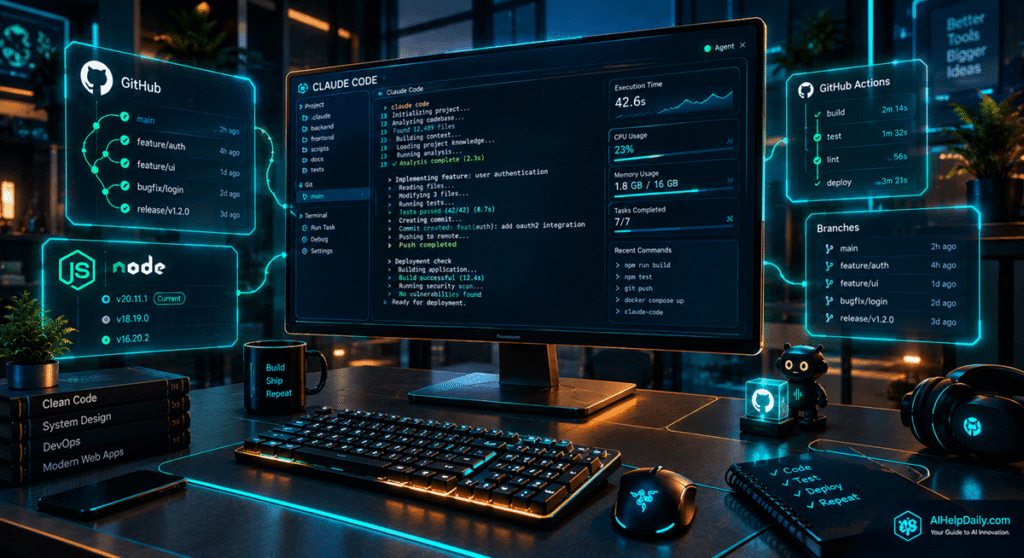
2. Prerequisites: Getting Your System Ready
Before we initialize the tool, we must ensure your development machine meets the necessary runtime specifications required for AI-agent orchestration. The tool runs directly in your local environment, making system compatibility crucial.
- Node.js Runtime: The CLI engine runs on modern Javascript runtimes. You must have Node.js 18.0.0 or higher installed. Verify your setup by executing
node --versionin your terminal. - Git Version Control: Because the agent interacts directly with branches and edits files asynchronously, your project directory must be initialized with Git (
git init). The agent relies on Git diffs to understand state changes. - Anthropic API Balance: The agent charges your API balance directly per token processed. Ensure your developer account at
console.anthropic.comhas pre-loaded credits or is bound to an active Enterprise subscription model.
3. Step-by-Step Installation and Authentication
Deploying Claude Code requires global package installation via npm. Let’s walk through the global deployment steps to set up the engine natively on your operating system.
# Step 1: Install the CLI globally via NPM
npm install -g @anthropic-ai/claude-code
# Step 2: Navigate to your full-stack project directory
cd ~/projects/my-web-app
# Step 3: Initialize the agent and authenticate via OAuth
claude login
Executing claude login will generate a secure OAuth link in your default browser. Once authenticated with your Anthropic Developer account, the CLI will bind a session token to your local ~/.claude/credentials file. You can now launch the interactive agent simply by typing claude into the terminal.

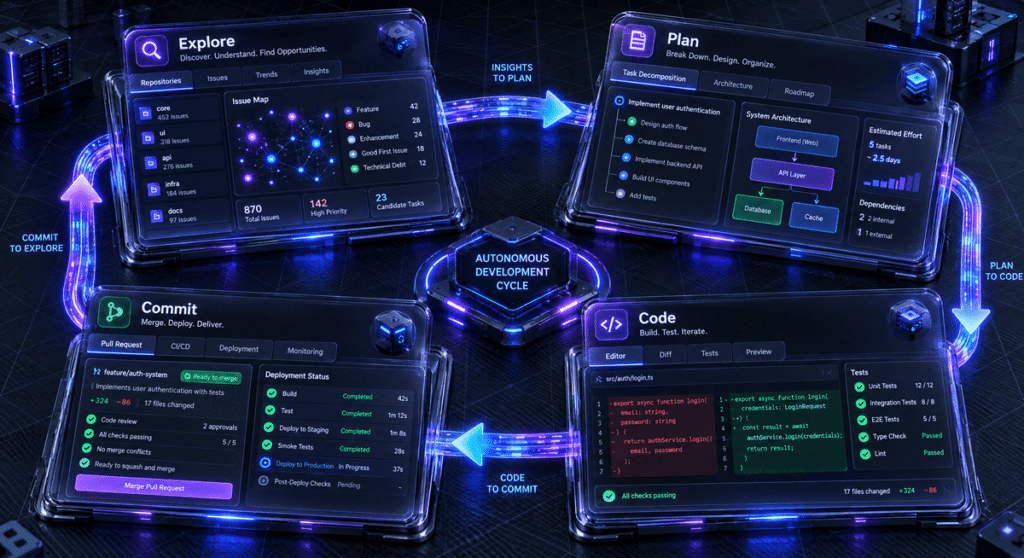
4. The 4-Step Workflow: Explore, Plan, Code, Commit
The core secret to success with this Claude Code tutorial lies in adapting to a structured development loop rather than commanding single, disjointed prompts. The optimal agentic workflow consists of four clear phases.
1. Explore
Delegate the research phase. Prompt broad outcomes: “Claude, search the payment controller and locate why expired checkout forms aren’t throwing 400 errors.” The agent will run grep and cat commands to read your architecture.
2. Plan
Force the system into analytical visualization. Toggle Plan Mode. The agent will write out a multi-step markdown blueprint detailing exact file modifications and dependency changes before executing anything.
3. Code
Approve the blueprint. The agent utilizes file-editing subagents to rewrite functions, update imports, and inject error handling logic asynchronously across your frontend and backend directories.
4. Commit
Verify the application locally. Then prompt: “Run linting, structure a semantic git commit message detailing these fixes, and stage it on branch dev-checkout-fix.”
5. Deep Dive: Configuring Your CLAUDE.md File
Every time you launch the claude CLI, it starts with a blank memory state regarding your specific architectural preferences. To solve this, create a static file named CLAUDE.md at the root of your repository. Whenever the tool launches, it reads this file automatically, treating it as the ultimate system instruction manual.
Here is an example of a production-ready CLAUDE.md configuration for a modern web stack:
# System Architecture & Rules
– **Frontend:** Next.js 14 (App Router), Tailwind CSS, TypeScript.
– **Backend:** Node.js, Express, Prisma ORM, PostgreSQL.
– **Testing:** Jest for unit tests, Cypress for E2E.
## Execution Commands
– To run tests: `npm run test`
– To build the app: `npm run build`
## Coding Standards
1. ALWAYS use functional components with React Hooks.
2. NEVER use class components or var declarations.
3. Write modular, descriptive commit messages.
This single file drastically lowers API token consumption by eliminating the need to repeat basic architectural instructions in every chat session.
6. Advanced Prompt Engineering for CLI Agents
The agent operates best when given a definitive metric to test its success against. Never tell Claude to “fix the bug and stop.” Always provide an executable validation task.
Bad Prompt: “Add a login system to the app.”
Agentic Prompt: “Implement a JWT-based login controller in
/auth/login.js. Connect it to the User schema in Prisma. Once finished, write a Jest unit test for successful and failed logins. Runnpm run test auth.test.js. If the test fails, analyze the terminal error log and autonomously rewrite the logic until the test passes successfully.”
For more insights into engineering prompts that control agent behaviors, review our guide on the best AI tools for productivity.
7. Real-World Use Cases (React, Python, DevOps)
Claude Code is entirely language-agnostic because it interacts directly with your bash environment. Here is how different engineering teams are utilizing it in 2026:
- React & Next.js Migrations: Instruct the agent to crawl an old React CRA (Create React App) directory and autonomously rewrite the entire routing system to Next.js App Router format, updating all nested layouts and
page.tsxfiles. - Python Data Pipelines: Ask Claude to review a slow Pandas dataframe processing script, optimize it using Polars or Dask, install the necessary pip dependencies, and benchmark the execution time before presenting the final code.
- DevOps & Dockerization: Tell the agent: “Analyze this root directory. Write a multi-stage Dockerfile that builds the React frontend and serves it via Nginx, and create a docker-compose.yml file that includes a Redis cache.”
8. Best Practices for Securing Your Codebase
Allowing an autonomous AI agent root access to your system terminal requires responsible guardrails. Claude Code can execute rm -rf, modify environment variables, or push destructive git commits if prompted improperly. Always enforce these security policies:
⚠️ Critical Security Guardrails
1. Explicit Approval Mode: By default, the CLI will ask for human confirmation [Y/n] before executing destructive bash commands. Never disable this prompt in your ~/.claude/settings.json unless running in a heavily sandboxed CI/CD pipeline.
2. Isolated Environments: When building complex apps or installing experimental npm packages, execute your CLI loops inside a Docker container or an isolated WSL2 directory. This prevents rogue scripts from accessing your host OS.
3. Strict .gitignore Hygiene: Ensure your .env files, AWS keys, and database passwords are strictly added to .gitignore. Transmitting hardcoded API keys to a cloud LLM is a fundamental security violation.
9. Comparison: Claude Code vs. Cursor vs. Copilot
How does Anthropic’s CLI solution compare to established AI development environments like Aider, Cursor, and GitHub Copilot? Review this technical matrix:
| Feature | Claude Code (CLI) | Cursor IDE | GitHub Copilot |
|---|---|---|---|
| Execution Environment | Terminal (Agnostic) | Custom VS Code Fork | IDE Extension |
| Autonomous Bash Execution | Yes (Full Access) | Partial (Agent Mode) | No |
| Multi-file Project Refactoring | Excellent | Excellent | Limited |
| Pricing Model | Pay-per-token (API) | Flat Monthly Sub | Flat Monthly Sub |
| Best Use Case | DevOps, Scripts, CI/CD | Frontend & App Dev | Inline Autocomplete |
If you prefer visual GUI development, Cursor remains the champion. However, if you are a terminal-heavy developer managing infrastructure, Docker deployments, and backend microservices, Claude Code offers unmatched headless orchestration.

10. Troubleshooting & Common Errors
Even the most advanced AI agents encounter friction. Here are the most common errors when running Claude Code and how to resolve them:
| Error Message | Root Cause | Solution |
|---|---|---|
| 429 Too Many Requests | API Rate limits exceeded due to massive repository scans. | Add heavy folders (e.g., node_modules, dist) to your .gitignore or .claudeignore. |
| Insufficient Balance | Your Anthropic Console account is out of credits. | Add a credit card at console.anthropic.com and load minimum Tier 1 balance. |
| Context Window Exceeded | The agent tried to read too many files simultaneously. | Clear the chat history using the /clear command to reset the token context. |
11. Cost Analysis & API Token Management
Because Claude Code operates via the Anthropic API, you pay strictly for the input and output tokens consumed. Deep architectural scans of massive repositories (100,000+ lines of code) can rack up API costs quickly.
Estimated Costs:
- Small Fix (1-2 files): ~$0.02 – $0.05 per interaction.
- Complex Refactoring (10+ files): ~$0.15 – $0.40 per autonomous debugging loop.
- Monthly Estimate: A heavy daily user might spend between $15 to $40 a month in API costs, which is highly competitive compared to flat $20/month GUI subscriptions considering the autonomous capabilities.

12. Frequently Asked Questions
Does Claude Code read my entire hard drive?
No. Claude Code only has context awareness of the specific directory in which you launch the claude command. It cannot traverse upstream directories (e.g., cd ../../) unless explicitly authorized by the user.
Can it deploy my application to production?
Yes. If your deployment scripts (like AWS CLI commands, Vercel deployments, or Docker push commands) are defined in your repository, you can instruct Claude Code to build and deploy your application directly from the terminal.
Is my code used to train Anthropic’s models?
According to Anthropic’s enterprise API terms, data transmitted via the API (which Claude Code uses) is not used to train their foundational models. However, always review the latest privacy documentation on the Anthropic Console for compliance.
To discover more cutting-edge software suites and optimize your digital workflows, dive into our curated AI Tools hub for weekly deep dives into agentic AI frameworks.