AI is moving beyond the traditional chatbot. Instead of simply answering a question and waiting for the next prompt, modern agentic AI systems can plan multi-step tasks, use tools, work with files and data, call APIs, interact with software, and continue working toward a goal with less step-by-step supervision.That shift is creating a rapidly growing category of software: agentic AI tools.But choosing the right tool isn’t always easy.
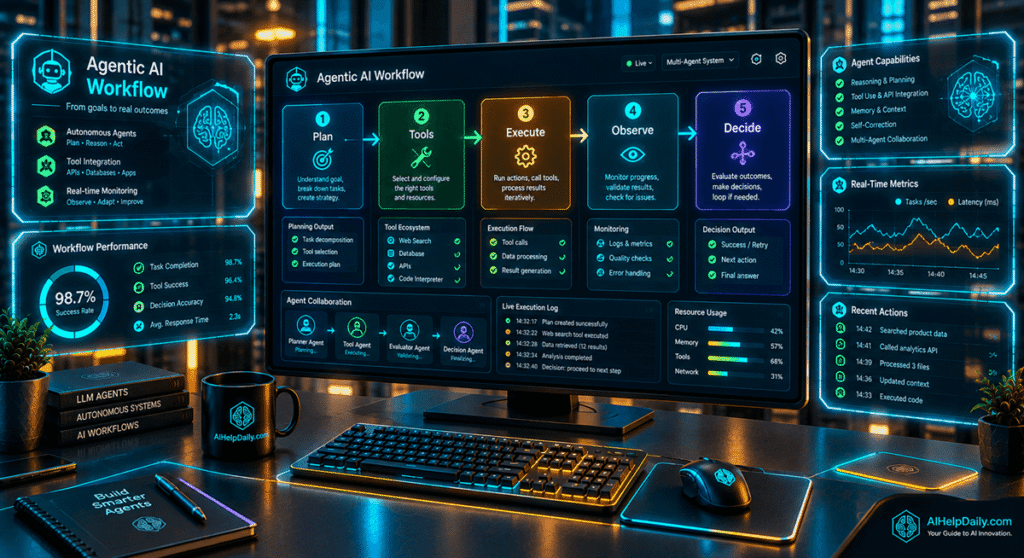
Some platforms are designed for developers who want to build AI agents from scratch. Others are built for business automation, software development, research, customer support, or multi-agent workflows. In this guide, we’ll look at 15 notable agentic AI tools and platforms, explain what each one does, compare their strengths and limitations, and help you understand which type of agentic AI solution fits different use cases.
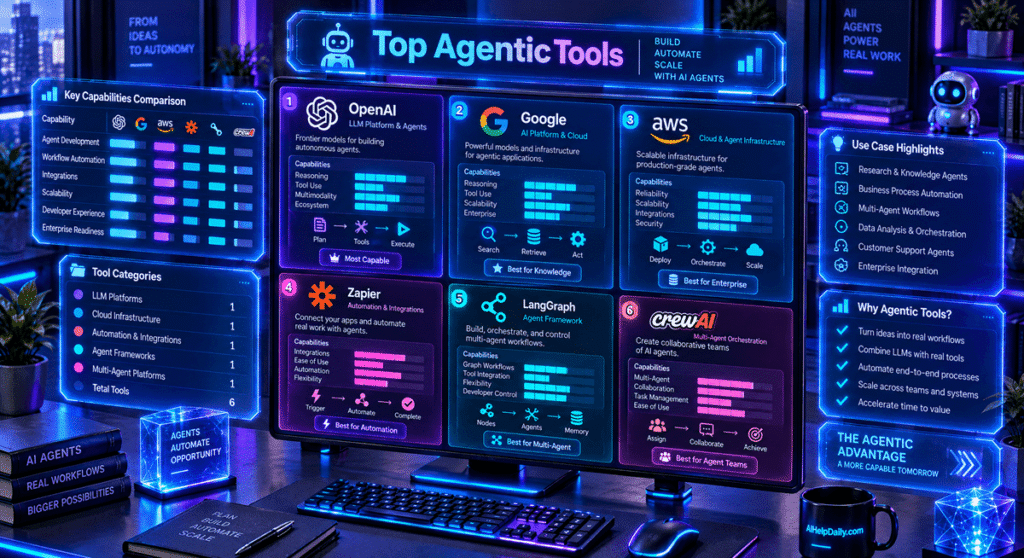
Quick answer: There is no single agentic AI tool that is right for everyone. Developers may prefer frameworks such as LangGraph, CrewAI, AutoGen, Google ADK, or the OpenAI Agents SDK. Businesses may prefer platforms such as Zapier Agents, Vertex AI Agent Engine, or Amazon Bedrock AgentCore. Software developers also have specialized coding agents such as Codex and Claude Code.
What Is Agentic AI?
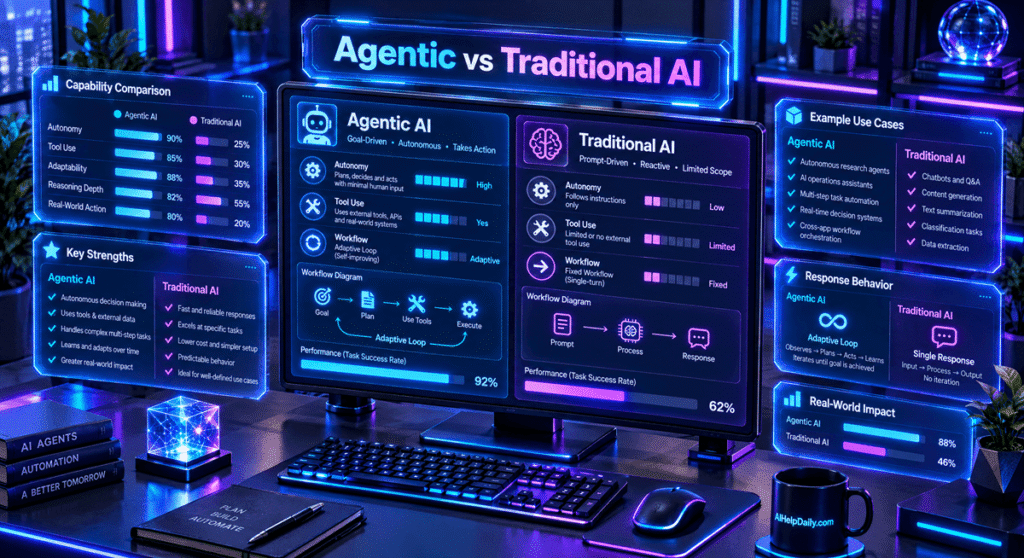
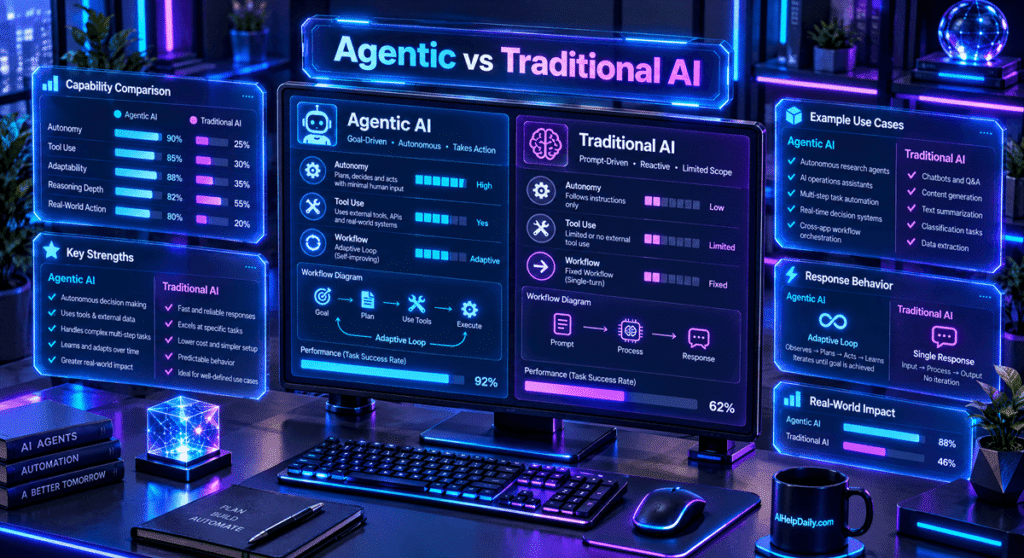
Agentic AI refers to AI systems that can do more than generate a single response. A traditional chatbot generally follows a simple pattern:
Prompt → AI response → next prompt
An agentic AI system can follow a longer workflow:
Goal → planning → tool use → observation → decision → additional actions → result
The important difference isn’t simply that the system uses an AI model.
The more useful question is:
Can the AI system take actions toward a goal rather than simply generate an answer?
For example, a traditional AI assistant might explain how to analyze a spreadsheet. An agentic system could potentially:
- Open the spreadsheet.
- Inspect the data.
- Write analysis code.
- Run the code.
- Identify unusual results.
- Create charts.
- Prepare a report.
- Ask a human for approval before taking an important action.
Modern agent platforms increasingly combine tools, memory, state, orchestration, code execution, human approval, and multi-agent workflows. This makes agentic AI particularly interesting for software development, research, automation, business operations, and data analysis.
Agentic AI vs. Traditional AI Assistants
The terms “AI assistant” and “AI agent” are sometimes used interchangeably, but there is an important practical difference.
| Capability | Traditional AI Assistant | Agentic AI System |
|---|---|---|
| Answer questions | Yes | Yes |
| Generate text | Yes | Yes |
| Use external tools | Sometimes | Usually |
| Perform multi-step tasks | Limited | Common |
| Execute actions | Limited | Often |
| Maintain workflow state | Sometimes | Common |
| Work with APIs | Sometimes | Common |
| Run code | Product-dependent | Common in developer platforms |
| Delegate work to other agents | Rare | Increasingly common |
| Human approval | Sometimes | Important for sensitive actions |
Agentic AI does not necessarily mean completely autonomous AI. In many real-world applications, the better approach is controlled autonomy. The agent can handle repetitive work while a human remains responsible for important decisions.
For example, an AI agent might research a potential customer, prepare a report, and draft an email, but require human approval before sending that email.That type of human-in-the-loop workflow is likely to remain important as AI agents become more capable.
The Best Agentic AI Tools in 2026
Here are 15 agentic AI tools, frameworks, and platforms worth knowing about in 2026.
| Tool | Best For | Category |
|---|---|---|
| OpenAI Agents SDK | Custom AI agents | Agent framework |
| OpenAI Agents API | Managed agent workflows | Agent platform |
| Codex | Software development | Coding agent |
| ChatGPT Workspace Agents | Team workflows | Business agents |
| Claude Code | Agentic coding | Coding agent |
| Claude Agent SDK | Custom Claude agents | Agent SDK |
| LangGraph | Stateful workflows | Agent framework |
| CrewAI | Multi-agent teams | Agent framework |
| AutoGen | Multi-agent applications | Agent framework |
| Google ADK | Gemini-based agents | Agent framework |
| Vertex AI Agent Engine | Production deployment | Managed platform |
| Zapier Agents | Business automation | Automation platform |
| Amazon Bedrock AgentCore | Enterprise AI agents | Agent infrastructure |
| Claude Computer Use | Computer interaction | Agent capability |
| Google Agent Runtime | Code-enabled agents | Agent infrastructure |
The tools below are not identical products. Some are frameworks for developers. Some are complete products. Others are infrastructure designed to deploy and operate agents in production.That distinction is important when comparing them.
1. OpenAI Agents SDK
Best for: Developers building custom AI agents.
The OpenAI Agents SDK is designed for developers who want to build agentic applications while maintaining control over the application’s tools, orchestration, state, and deployment. Developers can create agents that use tools, hand work to other agents, maintain context, and implement more complex workflows. This makes the SDK particularly interesting for companies building their own AI-powered applications instead of relying entirely on a pre-built chatbot interface.
What can you build with it?
Potential applications include:
- Research agents
- Customer support agents
- Internal company assistants
- Data analysis agents
- Coding agents
- Workflow automation
- Multi-agent systems
The major advantage is control. You can define what an agent is allowed to do, which tools it can access, and when human approval is required.
Best for
Developers and engineering teams who want to build a custom agentic application.
Consideration
This is a developer-oriented solution. If you want a simple no-code automation tool, a business automation platform may be easier.
2. OpenAI Agents API
Best for: Developers building managed, long-running AI agent workflows.
The OpenAI Agents API is aimed at applications that need agents to perform more complex work over time. Instead of treating every AI interaction as a short request and response, an agent can work through a task using tools, files, code execution, and additional steps. This makes the approach particularly relevant to long-running research and software engineering workflows.
Potential use cases
- Research
- Coding
- File analysis
- Multi-step automation
- Background tasks
- Complex business workflows
One important distinction is that a managed agent platform can reduce the amount of infrastructure developers need to build themselves. That can be useful when an application needs more than a simple LLM API call.
3. Codex
Best for: Software developers and engineering teams.
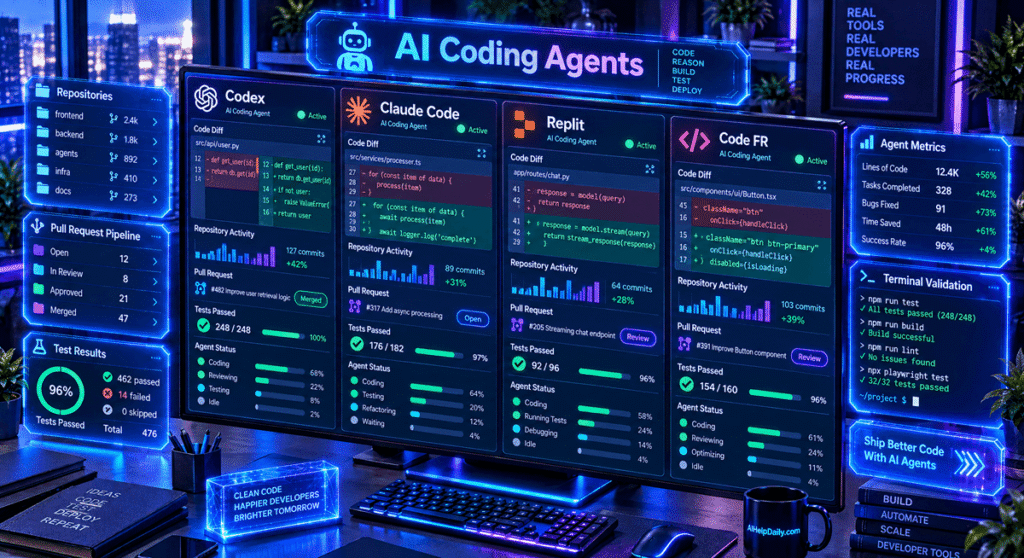
Codex is an agentic coding system designed to work on software engineering tasks. Instead of only generating a code snippet, an agentic coding workflow can involve:
- Understanding a repository.
- Finding the relevant files.
- Making changes.
- Running tests.
- Investigating failures.
- Making additional changes.
- Preparing the work for review.
That is a fundamentally different workflow from traditional code autocomplete.
What is Codex useful for?
Codex can be useful for:
- Feature development
- Refactoring
- Debugging
- Testing
- Code migrations
- Repository maintenance
- Documentation
For developers, the biggest attraction of coding agents is not simply writing code faster. It is delegating a larger piece of the engineering workflow.
4. ChatGPT Workspace Agents
Best for: Teams that want AI agents for repeatable business workflows.
Workspace agents are designed around shared organizational workflows rather than individual chat sessions. A business might use an agent to help with recurring tasks such as:
- Preparing reports
- Working with company information
- Summarizing internal documents
- Preparing recurring analysis
- Drafting communications
- Supporting operational workflows
The important difference is that a business agent can become part of a team’s process rather than remaining a standalone chatbot. For companies already using AI across their organization, this type of shared agent can make AI more useful for repeatable work.
5. Claude Code
Best for: Developers who want an agentic coding workflow.
Claude Code is designed to work with software projects and repositories rather than simply answering individual programming questions. A traditional coding assistant might help write a function. An agentic coding tool can work toward a larger objective.
For example:
Understand this project, implement the requested feature, update the tests, run the test suite, investigate failures, and prepare the changes for review.
That workflow requires the AI to inspect context, use tools, make decisions, and iterate.
Claude Code can be useful for
- Feature development
- Debugging
- Refactoring
- Testing
- Code review
- Repository maintenance
- Larger engineering tasks
For professional developers, the ability to work across a repository can be more useful than simple autocomplete.
6. Claude Agent SDK
Best for: Developers building custom applications around Claude’s agentic capabilities.
The Claude Agent SDK gives developers a way to build applications around an agentic coding and tool-use architecture. Instead of using Claude only as a text-generation API, developers can build systems that interact with files, tools, environments, and longer-running workflows.
Potential applications
- Coding assistants
- Research agents
- Internal business agents
- Data analysis
- Developer tools
- Specialized AI applications
This type of SDK is especially useful when the developer wants to build a custom user experience around an agent.
7. LangGraph
Best for: Developers who need detailed control over stateful AI workflows.
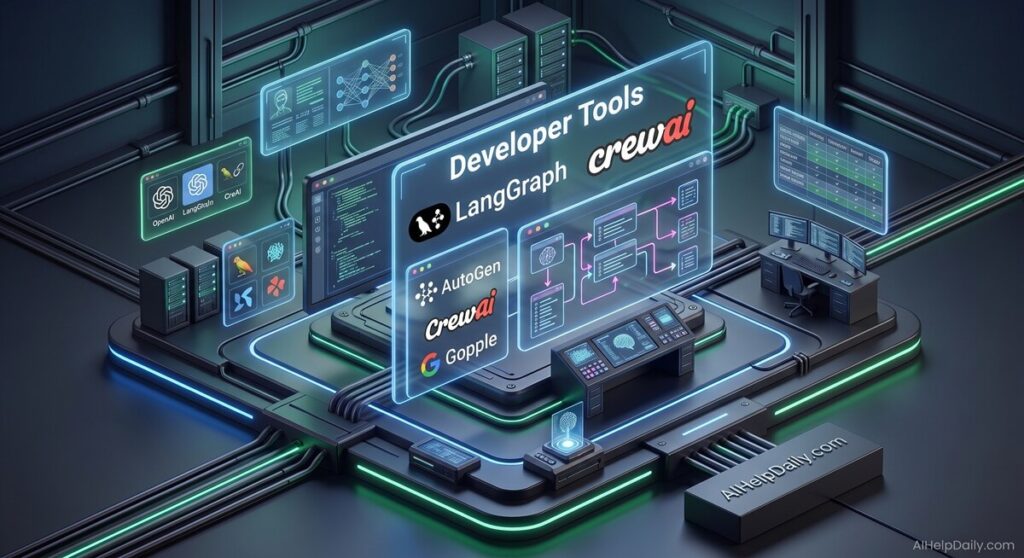
LangGraph is a framework for building stateful, long-running agent workflows. One of its biggest strengths is that developers can explicitly model how an agent moves through a workflow.
For example:
Research → Review → Human approval → Analysis → Report
Instead of relying on one enormous prompt, the workflow can contain different states and transitions.
LangGraph is particularly useful for
- Stateful agents
- Long-running tasks
- Human-in-the-loop systems
- Complex workflows
- Multi-agent applications
- Production AI applications
This makes LangGraph attractive to developers who need more control over an agent’s behavior.
8. CrewAI
Best for: Multi-agent workflows.
CrewAI focuses heavily on the idea of AI agents working together as a team. Instead of creating one general-purpose agent, you can create specialized agents with different responsibilities.
For example:
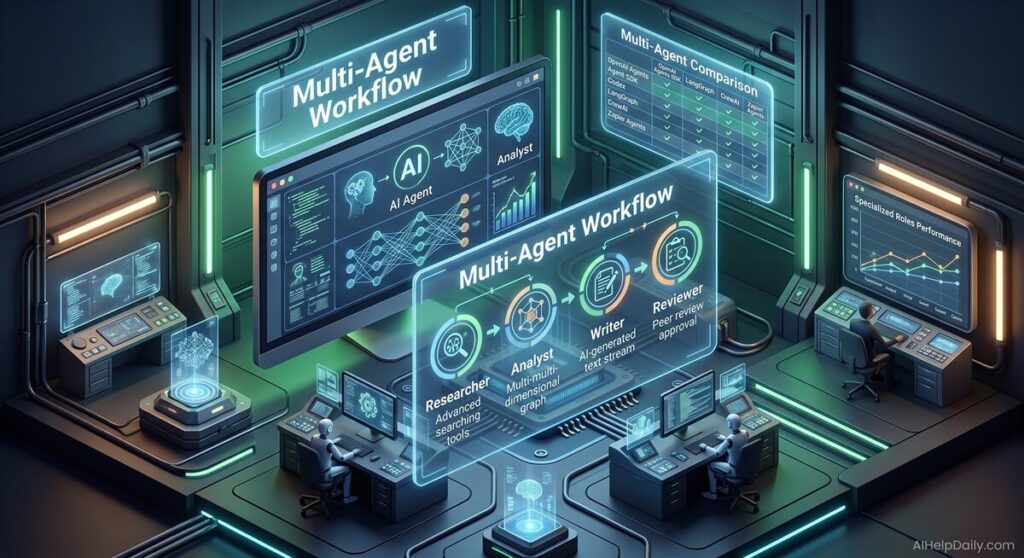
Research Agent → Analysis Agent → Writing Agent → Review Agent
The research agent collects information.
The analysis agent processes it.
The writing agent prepares the content.
The review agent checks the result.
This approach can be useful when a task naturally divides into different roles.
Advantages
- Role-based agents
- Multi-agent workflows
- Specialized responsibilities
- Structured automation
Potential drawback
More agents do not automatically mean a better system. Every additional agent can introduce more:
- Complexity
- Latency
- Cost
- Failure points
For simple tasks, one well-designed agent may be more efficient.
9. AutoGen
Best for: Developers experimenting with multi-agent applications.
AutoGen is a framework for building AI agent applications, including systems where multiple agents communicate and collaborate.
This makes it useful for workflows involving:
- Multiple specialized agents
- Collaborative problem solving
- Research
- Software development
- Distributed workflows
One of the interesting aspects of multi-agent systems is that different agents can have different instructions, tools, and responsibilities.
For example:
Planner → Researcher → Developer → Reviewer
can be more structured than asking one AI system to perform every task at once. However, developers should only use multi-agent architecture when it solves a real problem.
10. Google Agent Development Kit (ADK)
Best for: Developers building AI agents in the Google ecosystem.
Google’s Agent Development Kit, commonly known as ADK, is a framework for building AI agents. It is particularly relevant to developers working with Google’s AI ecosystem and Gemini models.
Potential applications include:
- AI assistants
- Multi-agent systems
- Data analysis
- Coding agents
- Enterprise workflows
- Custom AI applications
Google’s broader agent infrastructure also provides options for deployment, evaluation, observability, and code execution. For teams already using Google Cloud, this ecosystem can be especially relevant.
11. Vertex AI Agent Engine
Best for: Production AI agent deployment.
Building an AI agent is only one part of the problem. Running that agent reliably in production is another. Vertex AI Agent Engine is designed to help developers deploy, manage, and operate AI agents. Production systems often need more than an AI model.
They also need:
- Deployment
- Sessions
- State
- Monitoring
- Evaluation
- Logging
- Scaling
- Security
This is where managed agent infrastructure becomes useful.
Best for
- Enterprise AI applications
- Google Cloud teams
- Production agents
- Large-scale deployments
- Teams that need observability
12. Zapier Agents
Best for: Business automation.
Zapier has historically focused on connecting applications and automating business workflows. Its agentic approach extends that model by allowing AI agents to work with business applications and information.
For example, an agent could potentially:
- Receive a new lead.
- Research the company.
- Collect relevant information.
- Update a CRM.
- Prepare an outreach message.
- Create a follow-up task.
The value here isn’t just the AI model. The real value comes from connecting AI to the applications a business already uses.
Best for
- Marketing teams
- Sales teams
- Operations
- Small businesses
- Non-technical users
- Repetitive business workflows
If you want AI automation without building everything from code, this category is worth exploring.
13. Amazon Bedrock AgentCore
Best for: Enterprise teams building AI agents on AWS.
Amazon Bedrock AgentCore is part of AWS’s broader agent infrastructure. It is designed for organizations that need to build and operate AI agents within an enterprise cloud environment. This can be particularly relevant for companies that already use AWS for:
- Databases
- Applications
- Identity
- Security
- Data
- Infrastructure
An enterprise agent isn’t simply a chatbot. It may need to interact with internal systems, access company information, follow security policies, and operate under controlled permissions. That is where managed agent infrastructure becomes important.
14. Claude Computer Use
Best for: AI agents that need to interact with computer interfaces.
One of the most interesting developments in agentic AI is computer use. Instead of interacting with an application through an API, an AI system can interact with a graphical interface.
That means an agent can potentially:
- Read a screen
- Move a cursor
- Click buttons
- Enter text
- Navigate applications
- Work with interfaces designed for humans
This can be powerful because not every application provides a convenient API. However, computer-use agents also require careful security controls. An agent with the ability to interact with a computer should generally have restricted permissions and human approval for sensitive actions.
15. Google Agent Runtime and Code Execution
Best for: AI agents that need to execute code in controlled environments.
Many real-world AI tasks require more than language generation. Consider a data-analysis task.
The agent may need to:
- Read a dataset.
- Write Python code.
- Execute the code.
- Inspect the output.
- Modify the analysis.
- Generate a final report.
Code execution makes this type of workflow possible. Google’s agent infrastructure includes sandboxed code execution capabilities designed for workflows such as development, debugging, and data analysis. This is an important direction for agentic AI because combining language reasoning with actual computation can make agents substantially more useful for technical tasks.
Agentic AI Tools Comparison
Here’s a simplified comparison of the 15 tools covered in this guide.
| Tool | Best For | Multi-Agent | Tool Use | Code Execution | Production Focus |
|---|---|---|---|---|---|
| OpenAI Agents SDK | Custom agents | Yes | Yes | Supported | High |
| OpenAI Agents API | Managed agents | Yes | Yes | Yes | High |
| Codex | Coding | Yes | Yes | Yes | High |
| Workspace Agents | Business workflows | Yes | Yes | Depends on workflow | High |
| Claude Code | Coding | Yes | Yes | Yes | High |
| Claude Agent SDK | Custom agents | Yes | Yes | Yes | High |
| LangGraph | Complex workflows | Yes | Yes | Via tools | High |
| CrewAI | Agent teams | Yes | Yes | Via tools | High |
| AutoGen | Multi-agent apps | Yes | Yes | Via extensions | High |
| Google ADK | Agent development | Yes | Yes | Yes | High |
| Vertex AI Agent Engine | Enterprise agents | Yes | Yes | Supported | High |
| Zapier Agents | Business automation | Depends | Yes | Limited | High |
| Amazon Bedrock AgentCore | Enterprise agents | Yes | Yes | Supported | High |
| Claude Computer Use | Computer interaction | Depends | Yes | Depends | Medium/High |
| Google Agent Runtime | Code-enabled agents | Yes | Yes | Yes | High |
This table should be treated as a high-level guide rather than a permanent feature matrix. Agentic AI platforms are changing quickly, so always verify current capabilities, pricing, model availability, and usage limits before choosing a platform.
How to Choose the Right Agentic AI Tool
The best choice depends on what you are actually trying to accomplish.
Don’t start with:
“Which AI tool is the most powerful?”
Start with:
“What task do I want the AI agent to complete?”
That distinction can save a lot of time and money.
If You’re a Developer
If you’re building your own AI application, look at developer-oriented frameworks such as:
- OpenAI Agents SDK
- Claude Agent SDK
- LangGraph
- CrewAI
- AutoGen
- Google ADK
The important questions are:
- How much control do I need?
- Which models do I want to use?
- Do I need memory?
- Do I need human approval?
- Do I need multiple agents?
- How will I monitor the system?
- Where will the agent run?
If You’re a Software Developer
For coding workflows, agentic coding tools are particularly interesting.
Options include:
- Codex
- Claude Code
- Claude Agent SDK
The key advantage is the ability to delegate larger engineering tasks.
Instead of:
“Write this function.”
You can work toward:
“Implement this feature, update the tests, run the project, fix any failures, and prepare the changes for review.”
If You Run a Small Business
You may not need to build an AI agent from scratch.
Business automation platforms can be more practical.
Look at solutions such as:
- Zapier Agents
- Workspace Agents
- Other workflow automation platforms
The most useful agent may be the one that connects to the tools you already use.
For example:
Email + CRM + Calendar + Documents + Customer data
can be more valuable than an impressive standalone AI chatbot.
If You Need Multi-Agent Workflows
Look at:
- CrewAI
- AutoGen
- LangGraph
- OpenAI Agents SDK
- Google ADK
But don’t create multiple agents simply because you can.
A multi-agent architecture makes sense when different parts of the task genuinely benefit from different roles.
For example:
Researcher → Analyst → Writer → Reviewer
is a reasonable structure for a complex research workflow.
For a simple question, it is unnecessary.
What Should You Look for in an AI Agent?
A good agent isn’t simply one that produces an impressive demo.
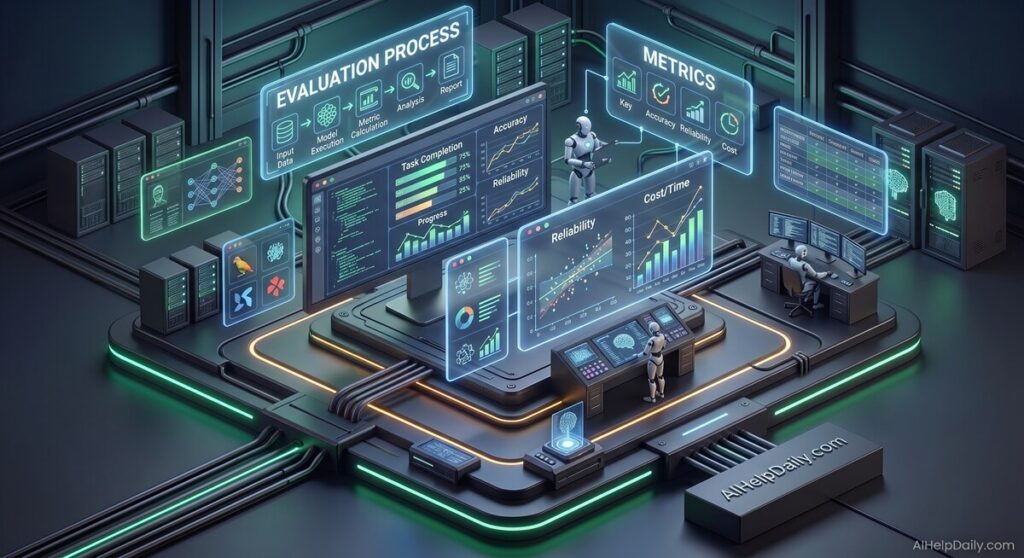
When evaluating an agentic AI platform, consider these eight factors.
1. Task Completion
Can the agent actually finish the task?
A beautiful answer isn’t useful if the requested action was never completed.
2. Tool Use
Can the agent correctly use the tools available to it?
An agent might have access to ten tools but still fail if it consistently selects the wrong one.
3. Error Recovery
What happens when something goes wrong?
A reliable agent should have a way to:
- Detect errors
- Retry
- Change its approach
- Ask for clarification
- Stop safely
4. Human Approval
Can a person approve important actions?
This is particularly important for:
- Payments
- Sending emails
- Deleting data
- Changing accounts
- Production deployments
- External communications
5. Observability
Can you understand what the agent actually did?
Production agents should ideally provide useful logs, traces, evaluations, and debugging information.
Without observability, troubleshooting a complex agent can become extremely difficult.
6. Cost
Agentic workflows can consume significantly more resources than a single AI response.
Every additional:
- Model call
- Tool call
- Retry
- Agent handoff
- Code execution
can increase cost.
A good agent architecture should be efficient as well as capable.
7. Speed
A workflow involving 15 steps will usually take longer than a single response.
The goal isn’t maximum autonomy.
The goal is reliable task completion at an acceptable cost and speed.
8. Security
The more permissions an agent has, the more important security becomes.
An agent that can only generate text has limited ability to cause external changes.
An agent that can:
- Send emails
- Modify databases
- Execute code
- Access private files
- Use financial systems
needs much stronger controls.
Our Agentic AI Evaluation Methodology
At AIHelpDaily, we believe agentic AI tools should be evaluated on real-world usefulness rather than marketing claims alone.
Our evaluation framework focuses on five areas.
Autonomy
How many meaningful steps can the system complete without requiring another prompt?
Tool Use
Can the agent correctly interact with APIs, files, browsers, databases, code, or connected applications?
Reliability
Can the system recover when something goes wrong?
Control
Can a human inspect, interrupt, approve, reject, or redirect an action?
Production Readiness
Can the platform support real applications through features such as:
- State management
- Authentication
- Logging
- Monitoring
- Evaluation
- Deployment
- Security
- Scaling
This approach is more useful than simply copying a vendor’s feature list.
How We Would Test an AI Agent
If you’re comparing two agentic AI tools, give both systems exactly the same task.
For example:
Research five competitors, collect their pricing information, create a comparison table, identify missing information, and prepare a one-page summary.
Then measure the results.
| Metric | What to Measure |
|---|---|
| Completion rate | Did the agent finish the task? |
| Tool accuracy | Did it select the correct tools? |
| Factual accuracy | Were the results correct? |
| Number of steps | How much work did it perform? |
| Error recovery | Did it recover from mistakes? |
| Human intervention | How often did a person need to help? |
| Execution time | How long did the task take? |
| Cost | What did the task cost? |
| Output quality | Was the final result actually useful? |
This kind of evaluation is much more informative than simply asking which model has the highest benchmark score.
Why Original Research Matters for AI Tool Reviews
AI tool websites have become increasingly crowded.
Many articles follow the same formula:
Tool 1
Tool 2
Tool 3
Tool 4
Tool 5
followed by generic descriptions copied from product pages.
That isn’t particularly useful to readers.
A stronger AI tools review should explain how the tools differ in actual workflows.
For example:
Instead of saying:
“Tool X has powerful automation capabilities.”
Explain:
“Tool X is useful when you need an agent to connect several business applications and perform actions across them.”
Instead of:
“Tool Y is great for developers.”
Explain:
“Tool Y is designed for developers who need an agent to inspect a repository, modify files, run tests, and iterate on the result.”
The goal is to give readers information they can actually use.
Agentic AI and E-E-A-T
Agentic AI changes quickly.
A feature that exists today may change within a few months.
That means AI tool reviews should be maintained regularly.
For trustworthy research, we recommend prioritizing:
First-party documentation
Vendor documentation is the best place to verify current capabilities, supported integrations, APIs, and limitations.
Product documentation over marketing claims
Marketing pages explain what companies want customers to know.
Technical documentation is usually more useful for determining what a product actually supports.
Clear separation between facts and opinions
For example:
Fact: LangGraph is designed for stateful agent workflows.
Evaluation: That makes it useful for developers who need detailed workflow control.
Those are two different statements.
Transparent limitations
A useful review should explain what a tool does well and where it may not be the right fit.
No agentic AI platform is ideal for every use case.
Are AI Agents Safe?
AI agents can be extremely useful, but additional capabilities also create additional risks.
An agent that can interact with external systems should be treated more like a software process than a simple chatbot.
Start with the minimum permissions required.
For example:
Read-only access
is generally safer than:
Read/write access
Likewise:
Draft an email
is safer than:
Automatically send an email.
Production AI agents should be designed with appropriate:
- Authentication
- Access controls
- Least-privilege permissions
- Sandboxed execution
- Human approval
- Audit logs
- Monitoring
- Rate limits
- Secret management
This becomes especially important when an agent can execute code or interact with a computer interface.
Best Agentic AI Tools for Different Use Cases
Best Agentic AI Tools for Developers
Developers building custom AI applications should explore:
- OpenAI Agents SDK
- Claude Agent SDK
- LangGraph
- CrewAI
- AutoGen
- Google ADK
Best AI Coding Agents
For software development, look at:
- Codex
- Claude Code
- Claude Agent SDK
Best AI Automation Tools
For business automation, consider:
- Zapier Agents
- Workspace Agents
- Vertex AI Agent Engine
- Amazon Bedrock AgentCore
Best Multi-Agent Frameworks
For systems involving multiple specialized agents, consider:
- CrewAI
- AutoGen
- LangGraph
- OpenAI Agents SDK
- Google ADK
Best AI Agent Infrastructure
For production deployments, infrastructure becomes extremely important.
Potential options include:
- OpenAI Agents API
- Vertex AI Agent Engine
- Amazon Bedrock AgentCore
- LangGraph
- OpenAI Agents SDK
Agentic AI Tools: What Comes Next?
The biggest change in AI isn’t simply that models are generating better text.
It is that AI systems are increasingly becoming capable of completing workflows.
The traditional software model looked like:
Human → Software → Result
The emerging model increasingly looks like:
Human → AI Agent → Tools → Software → Data → Result
That changes what people expect from AI.
Instead of asking:
“What can AI tell me?”
users increasingly ask:
“What can AI actually do for me?”
This is why agentic AI is becoming important across:
- Software development
- Research
- Business automation
- Customer service
- Data analysis
- Marketing
- Enterprise operations
- Productivity
But autonomy alone isn’t enough.
A useful AI agent needs a combination of:
Reasoning + tools + state + memory + security + evaluation + human control.
The strongest systems will not necessarily be the ones that act without humans.
They may instead be the systems that know when to act, when to ask for approval, and when to stop.
Frequently Asked Questions
What are agentic AI tools?
Agentic AI tools are software systems that use AI models to plan and execute multi-step tasks.
Depending on the platform, they can interact with APIs, files, databases, browsers, applications, code environments, or other AI agents.
What is the difference between an AI agent and a chatbot?
A chatbot primarily responds to user messages.
An AI agent can go further by planning tasks, using tools, maintaining state, and taking actions toward a goal.
The distinction isn’t always absolute because modern chatbots increasingly include agentic capabilities.
What is the best agentic AI tool?
There is no single tool that is best for every situation.
Developers building custom applications may prefer frameworks such as LangGraph, CrewAI, AutoGen, Google ADK, or the OpenAI Agents SDK.
Business users may prefer automation platforms such as Zapier Agents.
Software developers may prefer coding agents such as Codex or Claude Code.
The right choice depends on the workflow you need to automate.
Are AI agents fully autonomous?
Not necessarily.
Many production systems use human-in-the-loop controls.
An agent might research information, analyze data, and prepare an action automatically while requiring a human to approve the final step.
For sensitive workflows, this can be safer than completely autonomous execution.
Can AI agents use APIs?
Yes.
API access is one of the most important building blocks of agentic systems.
An agent can use APIs to interact with external services such as CRMs, databases, calendars, payment systems, search tools, or internal business applications.
Can AI agents browse the web?
Some can.
Depending on the platform, an agent may use search tools, browser automation, APIs, or computer-use capabilities.
The exact capabilities vary between products.
Can AI agents write and run code?
Many developer-focused agent systems can.
Coding agents and agent frameworks can use code execution tools to perform calculations, analyze data, test software, and complete technical tasks.
Code execution should always be appropriately isolated and permissioned.
Are multi-agent systems better than single-agent systems?
Not automatically.
Multiple agents can be useful when a task naturally divides into specialized roles.
For example:
Researcher → Analyst → Writer → Reviewer
may make sense for a complex research workflow.
But using multiple agents can also increase cost, latency, and complexity.
For simple tasks, one well-designed agent may be better.
How do I choose an agentic AI platform?
Start with the workflow rather than the tool.
Ask:
- What task do I need to automate?
- What applications must the agent access?
- Does it need memory?
- Does it need code execution?
- Does it need multiple agents?
- What actions require human approval?
- How will I monitor failures?
- What is my expected cost?
- Where will the agent run?
- What security controls are required?
Once you answer these questions, the right category of tool becomes much easier to identify.
What makes a good AI agent?
A good AI agent should be able to complete tasks reliably rather than simply produce impressive responses.
Important characteristics include:
- Accurate tool use
- Reliable task completion
- Error recovery
- Appropriate autonomy
- Human approval controls
- Observability
- Reasonable cost
- Security
The best agent for your workflow is the one that reliably gets the job done.
Final Thoughts
Agentic AI is moving artificial intelligence from answer generation toward task execution.
The most important question is no longer simply which AI model produces the best response.
The more useful question is:
Which AI system can reliably complete the workflow I actually need?
For developers, that may mean using an agent framework such as LangGraph, CrewAI, AutoGen, Google ADK, or the OpenAI Agents SDK.
For engineering teams, coding agents such as Codex and Claude Code can handle increasingly complex software tasks.
For businesses, automation platforms such as Zapier Agents, Vertex AI Agent Engine, and Amazon Bedrock AgentCore can connect AI to existing workflows and infrastructure.
And for production applications, reliability, security, observability, and human control can matter just as much as the underlying AI model.
Agentic AI is still evolving quickly.
Instead of choosing a tool based only on a feature list, test it against a real workflow, measure task completion, track failures and human intervention, and verify the platform’s current capabilities before making a long-term decision.
The future of AI isn’t simply about getting better answers.
It’s increasingly about getting useful work done.
Sources
For this article, use official documentation from the relevant AI platforms and frameworks, including OpenAI, Anthropic, Google, Microsoft, AWS, LangChain, CrewAI, and Zapier.
For current product capabilities and technical details, always verify the latest first-party documentation before making purchasing or implementation decisions.