In this comprehensive Cursor AI Review, we analyze how software engineering has moved past standard auto-complete extensions that simply guess the next line of code. In 2026, efficient software engineering requires deep context tracking, automatic error detection, and multi-file generation loops. We look closely at this AI-native fork of VS Code that has quickly become a favorite for engineering teams worldwide to see if it truly outpaces legacy development setups.
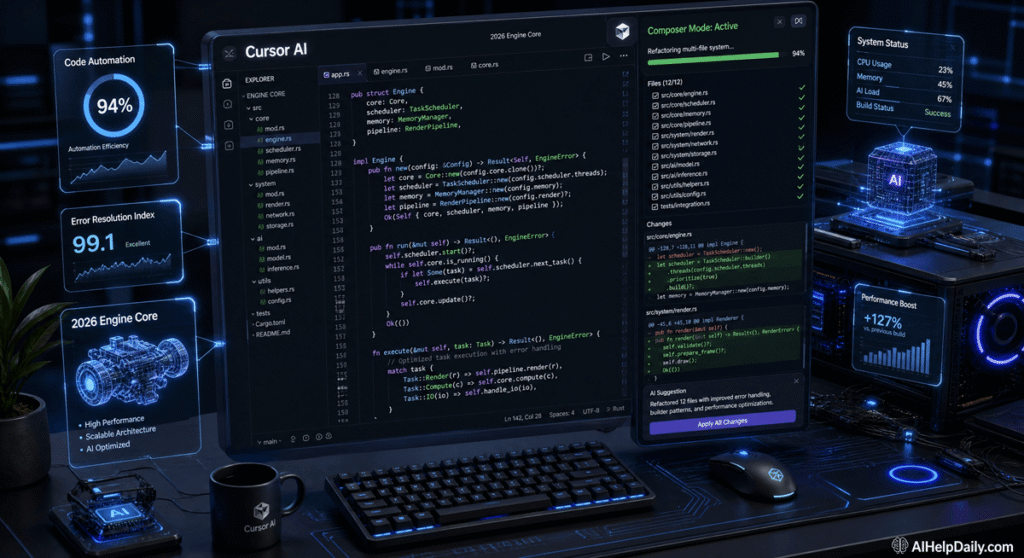
Table of Contents
- The Re-engineering of Development Environments: Introduction
- What is Cursor AI? More Than a Simple Copilot Extension
- The Power of Composer: Multi-File Structural Automation
- Cursor AI Pros and Cons: A Realistic Breakdown
- Infrastructure Overhead and Efficiency Benchmarks
- Conclusion: The Final Verdict
The Re-engineering of Development Environments: Introduction
Software engineering has moved past standard auto-complete extensions that simply guess the next line of code. In 2026, efficient software engineering requires deep context tracking, automatic error detection, and multi-file generation loops.
In this comprehensive Cursor AI Review, we look closely at the AI-native fork of VS Code that has quickly become a favorite for engineering teams worldwide. We evaluate its background logic, multi-file editing features, and overall performance to see if it truly outpaces legacy development setups.

What is Cursor AI? More Than a Simple Copilot Extension
To build an objective Cursor AI Review, we must understand that this platform is not just a standard editor add-on. It is a completely customized environment built on top of the open-source VS Code ecosystem.
Because it is built natively into the core interface, the platform reads your entire project workspace simultaneously. It tracks terminal errors, monitors active git changes, and understands complex file hierarchies without forcing you to manually copy and paste background data into an external chat window.
The Power of Composer: Multi-File Structural Automation
The real highlight of our technical testing was the platform’s advanced Composer mode.
- Multi-File Adjustments: Standard text assistants can only edit one open file at a time. Composer lets you describe a complex feature, and the engine automatically creates or modifies multiple backend, database, and user interface files across your entire project directory simultaneously.
- Instant Inline Terminal Fixes: When a script run fails, the integrated terminal reads the traceback log directly. It suggests an instant patch and updates the source code with a single keystroke.
- Smart Documentation Indexing: You can tag third-party libraries using simple commands (like
@NextJSor@Stripe), allowing the system to reference the absolute latest framework rules rather than relying entirely on outdated training data.

Cursor AI Pros and Cons: A Realistic Breakdown
Every software framework involves distinct trade-offs. Here is our direct operational summary:
The Advantages (Pros):
- Total Project Understanding: It maps the connections between different files perfectly, which minimizes compilation errors.
- Familiar Interface Layout: Because it is a fork of VS Code, you can import all your existing themes, extensions, and custom keybindings instantly.
- Extremely Fast Debugging: The direct terminal integration eliminates the hassle of tracking down syntax errors manually.
The Limitations (Cons):
- Subscription Model Dependencies: The advanced indexing and continuous context scans require premium plan tokens to run smoothly.
- Potential Learning Curves: Mastering complex context tags and multi-file prompt commands takes some time for junior developers.

Infrastructure Overhead and Efficiency Benchmarks
Just like the complex setups analyzed in our recent Groze AI review, running continuous project scans requires significant server processing power.
This infrastructure cost matches the compute requirements we explored in our deep Sora AI video platform review. To discover how cloud data networks manage this intensive server scaling alongside global environmental resources, take a look at our full report on how much water does AI use to learn about modern sustainable green computing initiatives.

Conclusion: The Final Verdict
Concluding our Cursor AI review, the platform proves to be an outstanding asset that completely changes how developers build modern software. If you are a professional software engineer or a technical founder looking to speed up production timelines, upgrading to this environment is highly recommended.
To stay updated on the latest development platforms, visit our master AI Tools index or check out our continuous AI News weekly hub for breaking technological updates!